 BrandStills
 how many photos etsy listing
How many photos should an Etsy listing have, and what should they show?
Etsy lets you upload up to ten photos per listing, and you should use all ten: a clear hero shot first, then scale, detail, lifestyle, variations, packaging and the back or label. Listings with most slots filled give buyers fewer reasons to hesitate than listings with two or three photos.
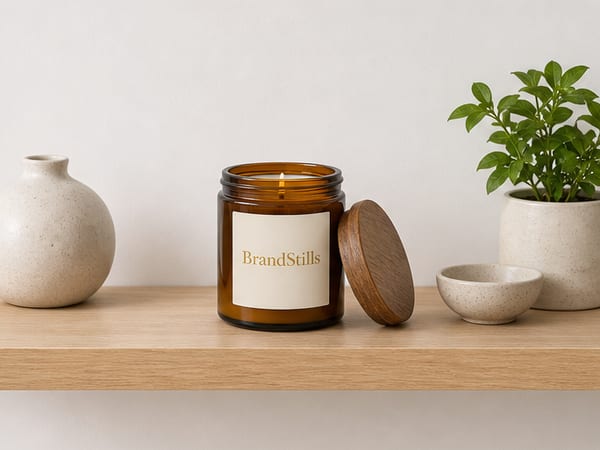
Use all ten. Etsy gives every listing up to ten photo slots plus video, and the slots are free selling space: each one can answer a question that would otherwise stop a buyer. Two great photos and eight empty slots means the buyer’s unanswered questions (how big is it? what does the back look like? will it suit my shelf?) get answered by a competitor instead. Slot counts and video specs do change occasionally, so glance at Etsy’s current help pages when you set up your shop.
Here is a filling order that works for most physical products:
- Hero. The item, sharp and bright, filling the frame. This is the thumbnail that competes in search.
- Scale. In a hand, next to a coffee mug, on a body. Size confusion is a top reason for returns and bad reviews.
- Detail. Close on the texture, the stitching, the glaze, the clasp. This is where handmade quality shows.
- Lifestyle. The product living in a real setting: a candle on a coffee table, a print above a sofa, earrings worn out.
- Variations. Every colour or scent you offer, ideally in one group shot plus individual frames.
- The back and the label. Buyers scroll for this; hiding it looks like you are hiding something.
- Packaging. Especially if it gifts well. An unboxing-worthy photo sells the giftability.
- Process or story. Your bench, your hands at work. This is Etsy; provenance is the point.
That is eight kinds of photo before you have repeated yourself, which is why ten slots stop feeling like a lot.
The honest shortcut for slots you cannot stage
Most makers can shoot the hero, detail and scale shots at a window. The lifestyle and seasonal slots are the ones that stall, because they need a styled room or a set you do not have. That is the gap BrandStills fills: photograph your product once with your phone, and generate it on a styled shelf, in a living room or on a picnic blanket, with your label and colours kept exactly as shot. Sellers on Etsy typically use it for the middle slots and keep their own photos for hero, detail and process, which is the mix buyers trust.
Frequently asked questions
Does using all ten photo slots help Etsy search ranking?
Etsy does not publish its ranking factors, so nobody outside Etsy can promise that. What is certain is that more good photos improve conversion, and listings that convert tend to do better over time. Treat the slots as selling tools first.
What should the first photo on an Etsy listing be?
A clear, well-lit shot of the finished item itself, close enough to fill the frame, on a clean or softly styled background. It has to survive as a small thumbnail next to competitors, so simple and bright beats clever and busy.
Should I add a video too?
Yes if you can. Etsy listings support short video, and even a simple slow pan across the product adds motion to your listing in search. It does not replace photos; it sits alongside them.
Is BrandStills free?
BrandStills is free to install and includes starter credits. After that, you can subscribe for monthly credits or buy a one-time credit pack, no subscription required. Pack credits never expire. One credit makes one photo. Each edit creates a new photo, so it also uses one credit. Renders that fail do not use credits.
Related guides
Etsy listings that get views but no sales have a conversion problem rather than a traffic problem: the usual causes are a price that looks wrong next to comparable listings, a shipping cost that surprises at checkout, a strong first photo followed by weak supporting photos, thin descriptions, and a shop with little review history. Diagnose in that order; the first photo already did its job by earning the click.
What are the image requirements for Amazon listings?Amazon main images must show the actual product on a pure white background, filling most of the frame, with no text, logos, props or watermarks. Images should be at least 1000 pixels on the longest side, and 1600 pixels or more to enable zoom; the remaining slots are far freer and can show lifestyle scenes, scale and details.
How do I turn one product photo into many different images?Photograph the product once, then multiply that shoot in software: crop and recolour backgrounds in an editor for quick variants, and use an AI product photography app to render the same product into entirely new scenes. Two or three phone photos from different angles work better than a single one, because the tool then knows the product's shape from more than one side.
Last updated August 29, 2026.
Shoot once. Post all year.
Install BrandStills, add one product, and have your first studio photo before your coffee cools.
Free credits on install · Start in a minute