 BrandStills
 BrandStills guides
Common questions, answered
These are the questions we hear from people who sell or post product photos, answered plainly. Each one starts with the answer, then the practical detail, and says honestly where an app like BrandStills helps and where it does not.
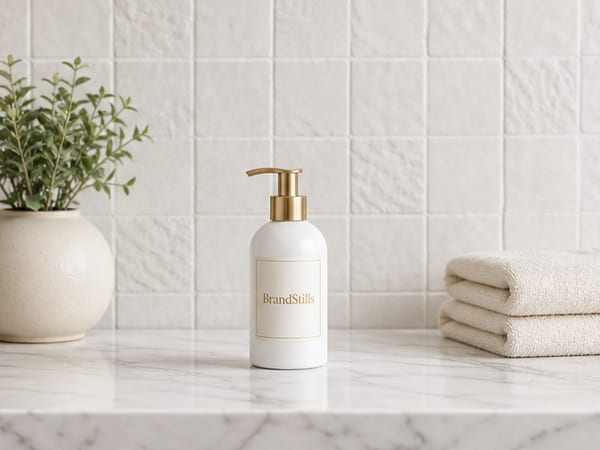
Yes, with a clear line: images that show your real, photographed product in a generated setting are broadly acceptable, while fully synthetic images of a product that was never photographed risk removal on both platforms, because Amazon and Etsy both require images to truthfully show the actual item. Policies keep evolving, so check each platform's current help pages before relying on any specific rule.

Announce a new product as a short sequence rather than one post: a teaser a few days ahead, a launch post built on a clean hero image with a caption that names the product, says what it does, gives the price and tells people where to buy, then follow-up posts showing details and early reactions. One post is easy to miss; three or four posts over a week make a launch.

Amazon main images must show the actual product on a pure white background, filling most of the frame, with no text, logos, props or watermarks. Images should be at least 1000 pixels on the longest side, and 1600 pixels or more to enable zoom; the remaining slots are far freer and can show lifestyle scenes, scale and details.

Use a free design app such as Canva or your phone's photo editor to layer text over the image, keeping it short, high-contrast and away from the product itself. For Stories, Instagram's built-in text tool is enough; for feed posts, add the text before uploading so you control the font and placement.
Yes, but only with tools that render from reference photos of your product rather than from a text description. Prompt-only generators invent a plausible lookalike with a garbled label; reference-locked tools such as BrandStills work from two or three phone photos and keep the label text, logo, colours and proportions, though every render should still be checked against the real product.
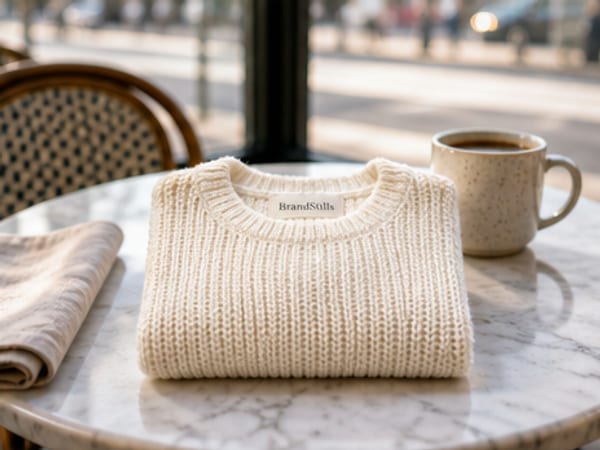
The cleanest way to blur the background of a product photo is optical: move the product well away from the background, bring the camera close to the product, and use the 2x or telephoto lens, which throws the backdrop naturally out of focus. Portrait mode and app blur filters fake the effect and often smudge the product's edges and label.
The best background for product photos depends on where the photo will be used: plain white or light grey converts best for marketplace listings and thumbnails, a simple real-world surface such as wood, linen or stone suits social and lifestyle images, and dark backgrounds flatter premium products. The constant rule is contrast without competition: the backdrop should separate the product, never distract from it.

Prepare four images per product on sale: a clean hero shot, a version with empty space for the discount text, a bundle or lineup shot for gift buyers, and banner-shaped crops for your shop and profile. Black Friday 2026 falls on November 27, so aim to have the whole set finished by the end of October and spend November selling and packing rather than designing.

Brighten product photos by raising the exposure or brightness slider until the product looks right, then pulling the highlights or whites slider down to recover the bright areas, and lifting shadows separately for the dark corners. Working shadows and highlights as separate sliders, instead of one big brightness push, is what keeps white packaging and labels from blowing out.
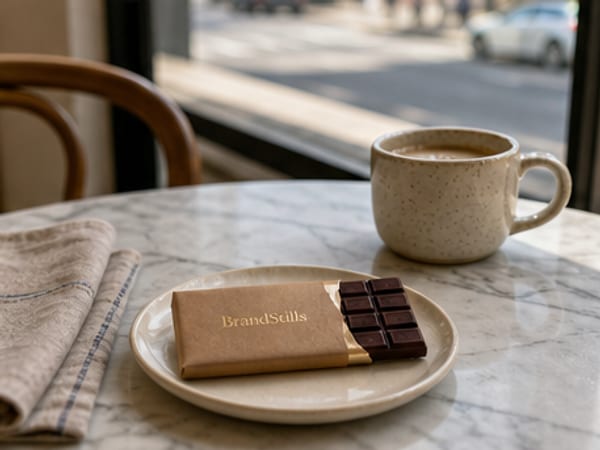
Yes. AI scene rendering can take a single clear photo of a product and place it into lifestyle settings, a kitchen counter, a cafe table, a beach towel, with believable light and shadows. One photo works; two or three from different angles work noticeably better, because the tool then knows the product's depth and sides instead of guessing them.

You can shoot festive product photos with things you already own (fairy lights blurred behind the product, a ribbon, baking paper as snow, sprigs cut from any evergreen), or skip physical props entirely by photographing the product plainly and generating the Christmas scene digitally around it.

Keep the setting constant instead of the products: photograph every new product or variant as it arrives, but always place it in the same small set of backgrounds, light and framing, and write those choices down so you can repeat them months apart. The products rotate; the stage stays the same, and the shop or feed keeps reading as one brand.
Disclose whenever a platform requires it and whenever a reasonable buyer would care, and always make sure the image accurately shows the real product either way. Several marketplaces and ad platforms have been moving toward requiring AI labels, so check the current rules where you sell; beyond the rules, honesty about the setting costs little, while a buyer who feels misled costs a review.
The cheapest professional looking product photo is a phone shot in soft window light against a plain background, which costs nothing but care. The cheapest way to add variety beyond that, lifestyle scenes, seasonal sets and styled backdrops, is an AI tool that renders new scenes from photos of your real product rather than a photographer or studio.
No, most people do not need a lightbox for product photography: a large window, indirect daylight and a sheet of white card produce softer and more natural light than a cheap lightbox. A lightbox earns its place mainly for small reflective items like jewellery and for shooting many identical white-background images in a room with poor daylight.
Customers trust product photos that turn out to be accurate, and punish photos that misrepresent what arrives, regardless of whether a camera or an AI made them. The real trust risk with AI is not the technology, it is publishing a render where the label, colours or proportions differ from the real product; an accurate render of your actual product carries the same trust as an accurate photograph.
The best way to edit product photos on an iPhone is the built-in Photos editor: straighten and crop first, then raise exposure, pull highlights down, lift shadows slightly, and correct the warmth slider until whites look white. Free apps add selective adjustments, but for product photos a light hand in the built-in editor beats heavy filters every time.
Consistency comes from repeating a few visual decisions, not from shooting in one place: keep to a small colour palette, the same kind of light, one editing recipe and a recurring set of backgrounds. Lock those four and photos from different locations still read as one feed.
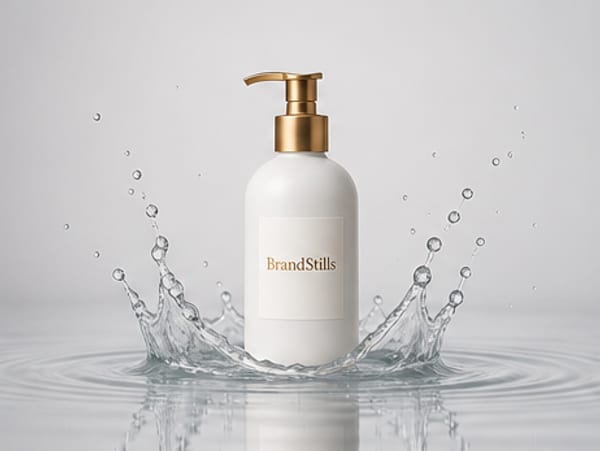
They can. Generators working from a text prompt alone invent the label, and even the current editing models in ChatGPT and Gemini, which keep short, clear text far better when you upload the real photo, still drift on small print, curved labels, fine logos and colours. Product photo tools narrow the risk by reading the label first, locking it into every render and checking the result, but every image should still be proofread before publishing.

A good Etsy shop banner communicates what you sell in under a second: one strong photo of your products or craft, your shop's colours, and little or no text beyond perhaps the shop name. Because banners are wide and shallow and get cropped differently across devices, keep anything important in the vertical middle and check Etsy's current help pages for the exact pixel sizes before you export.
Etsy listings that get views but no sales have a conversion problem rather than a traffic problem: the usual causes are a price that looks wrong next to comparable listings, a shipping cost that surprises at checkout, a strong first photo followed by weak supporting photos, thin descriptions, and a shop with little review history. Diagnose in that order; the first photo already did its job by earning the click.
Facebook Marketplace photos sell when they look honest: shoot the actual item in daylight against an uncluttered background, make the first photo a clear full view of the whole item, then add angles, close-ups of labels or serial numbers, and honest shots of any wear. Buyers are choosing who to trust with a meetup, so a real, well-lit photo beats a polished stock image.

Product photos look yellow because ordinary household bulbs give warm orange-toned light and the camera's white balance fails to correct it fully, especially when bulb light mixes with daylight. Fix it by shooting in indirect daylight with all indoor lights off, or in the edit by dragging the warmth or temperature slider toward blue until whites look white.
Etsy lets you upload up to ten photos per listing, and you should use all ten: a clear hero shot first, then scale, detail, lifestyle, variations, packaging and the back or label. Listings with most slots filled give buyers fewer reasons to hesitate than listings with two or three photos.
Three to four feed posts a week is enough for most small businesses, and a steady two you can sustain for months beats a heroic seven that burns out by week three. Consistency and quality matter more than raw frequency.
For a small shop, a photographer is worth hiring for the images that carry the brand for years: campaign shots with real art direction, on-model clothing photos and styled food. For the everyday volume of listing and social images, most small shops get better value photographing products on a phone and varying the scenes with software.
Google Shopping requires the image to show the actual product being sold, clearly and without overlaid promotional text, watermarks or logos; plain backgrounds are strongly preferred and placeholder or generic images are disapproved. Exact minimum pixel sizes vary by category and change over time, so confirm them in Google's current Merchant Center help pages, but in practice you want images of at least 800 pixels or larger.
Plan on five to eight photos per product page: a hero shot, one or two angles, a detail close-up, a scale shot and at least one lifestyle image. Three is the workable minimum for a simple product, and beyond eight you are usually repeating yourself. Add homepage, category and banner images on top, which is why a ten-product site needs sixty to eighty photos, not ten.
A small business looks professional online when everything matches and nothing is missing: consistent product photos, the same name and logo on every platform, a real about page with contact details, copy without typos, visible shipping and returns policies, and recent activity. None of it requires money so much as one honest afternoon of tidying.
Most lifestyle product photos do not need a model or a rented location: a product-led scene, your product staged on a real-looking surface with a few props and natural light, does the same job of showing context and scale. You can build these in corners of your own home, or photograph the product once and render it into lifestyle scenes with an app.

Split one afternoon into four blocks: an hour photographing every product in plain daylight, an hour turning those photos into finished images, an hour writing all the captions in one sitting, and a final half hour loading everything into a scheduler. Batching works because each block stays in one mode instead of switching between camera, editor and keyboard thirty separate times.
You separate shooting from posting: photograph each product well once, then generate variety from that one session by changing the background, scene, crop and season instead of re-shooting the product. One afternoon of photos can feed a month of daily posts.
Photograph the product once, then multiply that shoot in software: crop and recolour backgrounds in an editor for quick variants, and use an AI product photography app to render the same product into entirely new scenes. Two or three phone photos from different angles work better than a single one, because the tool then knows the product's shape from more than one side.
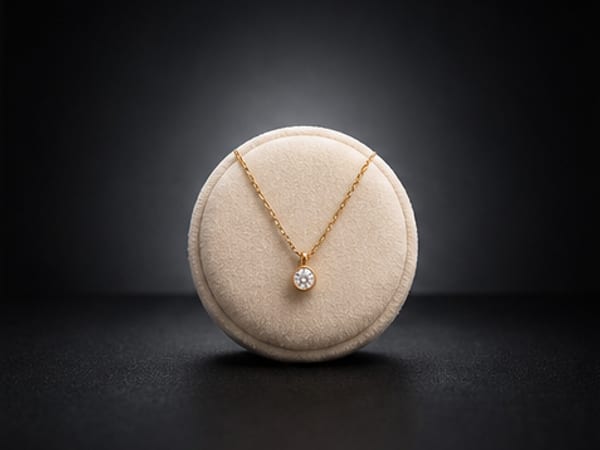
Dark products on dark backgrounds need separation, not more light overall: place a light behind or beside the product so a bright rim traces its edges, keep the background a metre or more behind it so it falls darker than the product, and pull your exposure down so blacks stay black instead of washing out to grey.

Handmade items look high quality when the light reveals their texture: shoot in soft daylight coming from one side so it rakes across the surface, add close detail shots of the maker's marks (stitching, glaze, grain, joints), include one photo that shows scale, and keep styling plain so the craftsmanship stays the subject. Flat, head-on light is what makes handmade work look mass-produced.
Glare is a mirror image of your light source, so you remove it by making the light bigger and softer, not dimmer: shoot beside a window with a sheer curtain, angle the shiny face away from the light, and keep small bright objects (including your phone) out of the reflection zone.
Photograph small products by backing the phone up to about 20 to 30 cm and cropping in afterwards, rather than pushing closer than the lens can focus. Use bright indirect daylight, prop the phone steady, tap to focus on the front of the product, and shoot against a plain uncluttered surface so the item does not get lost.

Vertical images in a 2:3 ratio, such as 1000 x 1500 pixels, work best on Pinterest, and product pins perform better when they show the product in a styled, aspirational context rather than as a plain catalogue cutout. Bright, high-contrast images with the product large in the frame, optionally with a short text overlay naming what it is, get saved and clicked most.
To open an online shop you need around five photos per product (a clean hero shot, a scale shot, a close-up detail, a lifestyle shot in a real setting, and the packaging or back label) plus a handful of shop-level images: a banner, a logo or avatar, and a photo of you or your workspace for the about page. A phone and a window are enough to shoot the product photos yourself.
One good sample is enough for a complete launch image set: shoot it carefully once in soft daylight, then build your hero, lifestyle and campaign images from those frames rather than waiting for production stock. If the sample differs from the final product, say so plainly wherever the images appear.
You do not need Photoshop for product mockups: template mockup sites and free design apps let you drop your artwork onto ready-made product photos in the browser, which is the right route before a product physically exists. Once you have a real sample, photographing it and rendering it into scenes produces images of your actual product, which beats a template that only approximates it.
Freelance product photographers commonly charge from around 30 dollars to a few hundred dollars per finished image, and studios quote day rates from the hundreds into the low thousands. Rates vary widely by country, city and product type, and extras such as models, styling and heavy retouching are usually billed on top.

You need about a metre of table beside your brightest window, not a studio: shoot tight so the rest of the room never appears, use a large sheet of card as a backdrop that folds flat behind a wardrobe afterwards, and work in daylight with the ceiling light off. The one thing a small flat cannot give you is a variety of settings, and that part can be rendered from the same photos.
To take product photos at night or in a dark room, build one soft light source: a single lamp aimed at the product from the side, diffused through baking paper or a thin white cloth, with every other light off and the phone braced or on a tripod using the timer. One diffused lamp beats a bright ceiling light or flash every time.
You can take good product photos with only a phone: shoot beside a big window in indirect daylight with the flash off, stand the product a step away from a plain background, tap the screen to focus and expose on the product, and shoot at the product's own height with the 1x or 2x lens rather than looking down with the wide lens.
Describe a photograph, not a wish: name the subject, the surface it sits on, where the light comes from, the lens or angle, and the mood, in that order. A prompt like 'amber glass serum bottle on wet black slate, soft window light from the left, 85mm close-up, calm and premium' beats 'beautiful professional product photo' every time, because the model needs physical details, not adjectives about quality.

A sale post looks good when it is a strong product photo carrying one short, high-contrast line of text, such as the discount and nothing else. Start from your best product image, leave real empty space for the words, keep to one font and one accent colour, and put dates, codes and conditions in the caption instead of on the image.
The fastest free way to remove a product photo's background is your phone's built-in subject lift: on a recent iPhone, touch and hold the product in the Photos app and it cuts itself out, and free web-based background removers do the same from any browser. Cutouts work best on products with clean, hard edges photographed against a plain, contrasting background.
Make a shop banner by finding your platform's current banner dimensions in its help pages, choosing one strong wide photo or a flat brand colour as the base, adding your shop name or one short line of text kept near the centre, and checking the result on a phone, where the edges are often cropped away. Free design apps have ready-sized banner templates for every major platform.
Take original photos of the actual unit you sell. When every competitor shows the identical supplier image, any original photo instantly differentiates your listing, proves you have handled the product, and gives you material for ads and social that nobody else can run.
Square images at 2048 x 2048 pixels are the widely used safe default for Shopify product photos: large enough for zoom, small enough to load fast, and square crops behave predictably in almost every theme. More important than the exact number is using the same aspect ratio for every product, so collection grids line up instead of looking ragged.

You can shoot in-home product photos yourself with a phone, a window and a tidied corner of one room: put the product on a surface at its natural height, add one or two lived-in props, turn the room lights off and shoot in daylight. If your home does not offer the look you want, photograph the product clearly and render it into a home scene instead.
Small businesses mostly use AI to multiply one phone shoot of a real product into the images they used to skip for cost reasons: clean listing shots, lifestyle scenes, seasonal refreshes, steady social content and multi-product banners. The common pattern is photograph once, render many, with AI replacing the set, props and studio rather than the product itself.
A hero image is the large, first image a visitor sees: on a website it is the big banner at the top of the page, and in product photography it is the lead shot of the product itself, the one that becomes the listing thumbnail. A good one shows one clear subject, survives being shrunk or cropped, leaves room for any text placed over it, and loads fast.

Studio photos show the product alone on a plain background and exist to inform: they carry your main listing image and make details legible. Lifestyle photos show the product in a real setting and exist to persuade: they communicate size, use and mood. Most sellers need both, with studio shots leading the listing and lifestyle shots filling the remaining slots, ads and social posts.
Post your existing products in new contexts and rotate a few evergreen content pillars: how it's made, how it's used, who it's for, and what customers say. Most of your audience has never seen your old posts, so 'nothing new' only feels true from the inside.
Start holiday content six to eight weeks before the holiday itself, so for Christmas begin in late October to early November, with listings and gift guides ready before your social posts ramp up. Shoppers plan earlier than sellers expect, and the final week is for last-order reminders, not introductions.
To get a pure white background without a studio, curve a sheet of white paper or card from the wall down under the product to make a seamless sweep, light it evenly with window light plus a white bounce card, expose brightly, then finish the background to pure white in a free editor. Alternatively, photograph the product clearly and have a tool re-render it on clean white.
In practice you can normally use AI product photos commercially if the tool's terms grant you the rights, and your product design and label artwork remain yours in any case. Whether the generated image itself gets copyright protection is genuinely unsettled and differs by country, so treat 'can I use it' and 'can I stop others copying it' as separate questions, and check your own jurisdiction. This is general information, not legal advice.
Product photos usually look unprofessional because of lighting and background, not the camera: harsh overhead light or mixed light sources, a cluttered or creased backdrop, shooting down at the product from standing height, crooked framing and heavy-handed editing are the usual causes. Soft window light, a plain background and shooting at the product's level fix most of it.
Yes. BrandStills is free to install with starter credits, and after that you can buy a one-time credit pack instead of subscribing. Pack credits never expire, every feature works with them, and one credit makes one photo. A monthly subscription is there if you make photos every month, but you never need one.
Shoot once. Post all year.
Install BrandStills, add one product, and have your first studio photo before your coffee cools.
Free credits on install · Start in a minute