 BrandStills
 make small business look professional online
How do I make my small business look professional online?
A small business looks professional online when everything matches and nothing is missing: consistent product photos, the same name and logo on every platform, a real about page with contact details, copy without typos, visible shipping and returns policies, and recent activity. None of it requires money so much as one honest afternoon of tidying.
Professional is not a look, it is an absence of small alarms. Buyers rarely think “this shop is beautiful”; they think “nothing here worries me” and buy. Work through the alarms in order of how loudly they ring.
One identity, everywhere
Same business name, same handle, same logo and same profile picture on your shop, Instagram, TikTok and anywhere else you exist. A shop called one thing with an Instagram handle that says another, plus an old personal account still ranking in search, reads as improvised. Claim matching handles even on platforms you barely use, and link every profile back to the shop.
Complete information
An about page with a face or workspace and a few honest sentences. A contact method that is not just a form. Shipping times, returns policy and prices stated plainly. This is dull work and it converts, because for an unknown brand the buyer’s real question is “will I get my thing, and can I fix it if not”. Answer it before it is asked.
Copy without typos
Read every page aloud once. Product titles in consistent format, no ALL CAPS pleading, no exclamation marks doing the selling. Paste your copy into any free spellchecker; a single “recieve” on a checkout page costs more than it should.
Photos that match each other
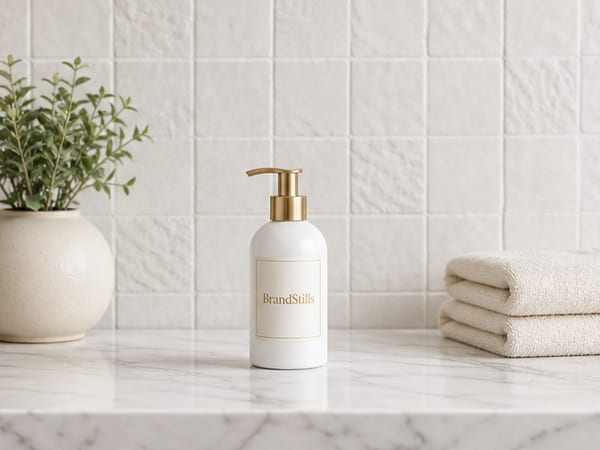
Photography is the loudest single signal, and the professional part is less about any one photo than about the set. Ten products shot in ten lighting conditions look like a garage sale; the same ten in one consistent style look like a brand. Shoot your hero shots the same way at the same window, and for styled imagery keep to a small family of settings. This is where BrandStills earns its place in the checklist: it renders your photographed products into a consistent set of scenes, so your grid and shop page share one look even when the originals were shot months apart, with labels and colours locked to the real items.
Signs of life
A shop whose last post is from spring looks closed. One post a week, a seasonal banner swap, a recent review responded to politely: activity is the cheapest professionalism there is.
None of this needs a budget. Block one afternoon, fix the alarms top to bottom, and your business will out-professional plenty of shops that spent thousands on a website and forgot the returns policy.
Frequently asked questions
What makes an online shop look untrustworthy?
Missing pieces more than ugly ones: no about page, no contact details, no returns policy, a last post from eight months ago, and photos that clearly come from different phones in different rooms. Buyers read absence as risk. Filling gaps beats redesigning.
Do I need a custom website to look professional?
No. A well-tended shop on a marketplace or a standard storefront theme looks more professional than a half-finished custom site. Platform, theme and template matter far less than consistency, photography and complete information.
How much does it cost to look professional online?
Very little. The checklist here is mostly free: tidy handles, rewrite copy, photograph consistently, publish policies. The usual paid pieces are a domain name and perhaps a logo, each modest. Spend time before money.
Is BrandStills free?
BrandStills is free to install and includes starter credits. After that, you can subscribe for monthly credits or buy a one-time credit pack, no subscription required. Pack credits never expire. One credit makes one photo. Each edit creates a new photo, so it also uses one credit. Renders that fail do not use credits.
Related guides
Product photos usually look unprofessional because of lighting and background, not the camera: harsh overhead light or mixed light sources, a cluttered or creased backdrop, shooting down at the product from standing height, crooked framing and heavy-handed editing are the usual causes. Soft window light, a plain background and shooting at the product's level fix most of it.
How do I make my Instagram feed look consistent when I take photos in different places?Consistency comes from repeating a few visual decisions, not from shooting in one place: keep to a small colour palette, the same kind of light, one editing recipe and a recurring set of backgrounds. Lock those four and photos from different locations still read as one feed.
What photos do I need to start an online shop?To open an online shop you need around five photos per product (a clean hero shot, a scale shot, a close-up detail, a lifestyle shot in a real setting, and the packaging or back label) plus a handful of shop-level images: a banner, a logo or avatar, and a photo of you or your workspace for the about page. A phone and a window are enough to shoot the product photos yourself.
Last updated August 29, 2026.
Shoot once. Post all year.
Install BrandStills, add one product, and have your first studio photo before your coffee cools.
Free credits on install · Start in a minute