 BrandStills
 product photos with phone
How do I take good product photos with just my phone?
You can take good product photos with only a phone: shoot beside a big window in indirect daylight with the flash off, stand the product a step away from a plain background, tap the screen to focus and expose on the product, and shoot at the product's own height with the 1x or 2x lens rather than looking down with the wide lens.
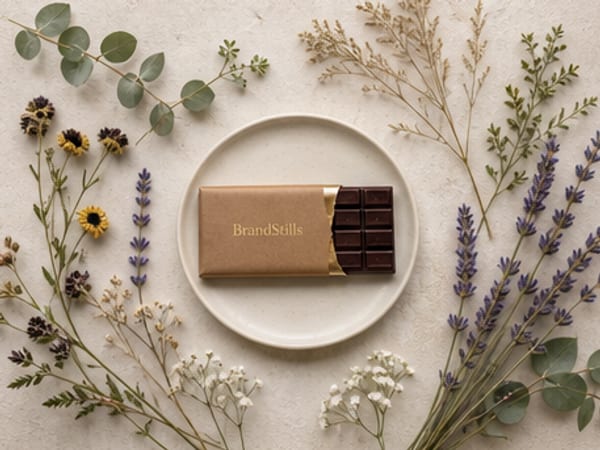
A modern phone camera is genuinely good enough for product photography. When phone shots look bad, it is almost never the camera. It is the light, the background and the angle, and all three are free to fix.
Start with light. Turn the flash off, turn the ceiling light off, and set up beside the biggest window you have, out of direct sun. Soft daylight from one side gives shape and gentle shadows; a bare bulb overhead gives harsh hotspots and orange colour casts. If one side of the product goes too dark, prop a sheet of white card on the shadow side to bounce light back in.
Then the background. Anything busy behind the product steals attention, so clear the table and use a plain wall, a large sheet of card, or a simple surface like wood or linen. Pull the product at least a forearm’s length away from the background so it separates and the backdrop falls slightly out of focus on its own.
Now the phone itself:
- Wipe the lens. Pocket grease is the cheapest upgrade in photography.
- Tap the product on screen to set focus, then drag the exposure slider down a touch so highlights and labels do not blow out.
- Hold the phone level at the product’s height. Shooting down at everything is the single biggest amateur tell; eye level makes a product look like it belongs on a shelf.
- Use 1x or 2x, never the ultra-wide, and take far more frames than you need, nudging position between shots.
Edit lightly: straighten, crop, lift brightness a little, and resist the saturation slider.
Where a phone runs out of road is staging. You can capture the product honestly, but you cannot summon a marble worktop, a beach at golden hour or a studio podium into your kitchen. That is the part BrandStills covers: you take two or three clear phone photos of the real product using exactly the technique above, and the app renders it into a finished scene, with the label, colours and proportions locked so it stays your product. A white studio backdrop for listings or a cafe table for Instagram each take about 30 seconds. The better your phone photos, the better the renders, so the window-light habit pays twice.
Frequently asked questions
Which phone camera lens should I use for product photos?
Use the 1x main lens or the 2x telephoto and step back. The ultra-wide (0.5x) stretches whatever sits at the edge of the frame, so bottles lean and boxes bulge. The main lens also handles low light far better.
Do I need a tripod for phone product photos?
Not strictly, but bracing helps: rest your elbows on the table, lean the phone against a stack of books, or use the timer so pressing the shutter does not shake the frame. Indoors, small blur from hand shake is the most common reason photos look soft.
Should I use portrait mode for product photos?
Usually no. Portrait mode fakes background blur and often smudges edges, labels and handles. Get real separation instead by moving the product further from the background.
Is BrandStills free?
BrandStills is free to install and includes starter credits. After that, you can subscribe for monthly credits or buy a one-time credit pack, no subscription required. Pack credits never expire. One credit makes one photo. Each edit creates a new photo, so it also uses one credit. Renders that fail do not use credits.
Related guides
No, most people do not need a lightbox for product photography: a large window, indirect daylight and a sheet of white card produce softer and more natural light than a cheap lightbox. A lightbox earns its place mainly for small reflective items like jewellery and for shooting many identical white-background images in a room with poor daylight.
Why do my product photos look unprofessional?Product photos usually look unprofessional because of lighting and background, not the camera: harsh overhead light or mixed light sources, a cluttered or creased backdrop, shooting down at the product from standing height, crooked framing and heavy-handed editing are the usual causes. Soft window light, a plain background and shooting at the product's level fix most of it.
How do I get a pure white background for product photos without a studio?To get a pure white background without a studio, curve a sheet of white paper or card from the wall down under the product to make a seamless sweep, light it evenly with window light plus a white bounce card, expose brightly, then finish the background to pure white in a free editor. Alternatively, photograph the product clearly and have a tool re-render it on clean white.
Last updated October 14, 2026.
Shoot once. Post all year.
Install BrandStills, add one product, and have your first studio photo before your coffee cools.
Free credits on install · Start in a minute