 BrandStills
 shopify product photography
Product photography for Shopify stores
A Shopify store looks professional when every product photo shares the same background, light and angle. BrandStills applies one scene across your whole catalogue from phone photos, so the collection grid finally matches.
Open your own collection page and squint. If the grid shows five backgrounds, three colour temperatures and one photo taken on a duvet, that is what a first-time visitor reads as the brand. Shopify gives you total design freedom on the theme, and then the photos, shot across two years on three phones, undo it.
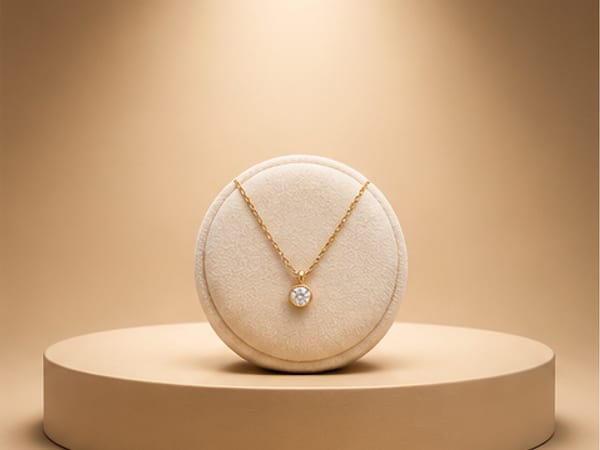
A studio solves this by charging you to reshoot everything in one session. The app solves it by making the scene the constant instead of the shoot: every product in your library rendered on the same grey studio backdrop, or the same warm podium, with the same light falling the same way. The grid matches because the scene is literally the same, not approximately remembered.
One catalogue, three layers of imagery
- Grid images. One neutral scene for every product. Grey or white backdrops crop cleanly at any theme’s aspect ratio and never fight your design colours.
- Product page extras. Two or three lifestyle renders per product: a shelf, a kitchen, a cafe table, whatever room your product actually lives in.
- Collection and hero banners. A lineup or stepped podiums scene puts the whole range in one frame, each label rendered as itself. This is the homepage shot that stores pay studios the most for, and the one collection scenes do in a minute.
The reshoot you never have to schedule
The quiet killer for a growing store is the product added in a hurry with one dark photo, because the “real” shoot is always next month. Here the flow is reversed: the two or three phone photos you take on day one are the shoot. Front, angle, detail, daylight. Label text, colours and proportions stay locked in the render, so what ships is what shows.
When you rebrand or a season changes, you do not rebook anything. The products are already in the library; pick the new scene and re-render the catalogue. If your existing photos live on a laptop, the desktop import takes up to forty at once and groups them into products.
Start with the free credits and render one collection in a matching style tonight. Get the app, or read how it works first.
Frequently asked questions
Why does consistency matter more than any single photo?
Because on Shopify, shoppers meet your photos as a grid. A collection page of images with different backgrounds, colour casts and crops reads as amateur even when each photo is decent alone. One shared style is what makes ten products look like a brand.
How do I keep new products matching the old ones?
Reuse the exact scene. Photograph the new product, add it to the library, and render it in the same scene as the rest of the range. The background, surface and light match by construction, not by memory of how you set up a table two years ago.
Can I show several products in one image for a collection banner?
Yes. Collection scenes such as a lineup, stepped podiums or a leaning stack render several products from your library in one frame, each with its own real label, without cloning one photo around.
Is BrandStills free?
BrandStills is free to install and includes starter credits. After that, you can subscribe for monthly credits or buy a one-time credit pack, no subscription required. Pack credits never expire. One credit makes one photo. Each edit creates a new photo, so it also uses one credit. Renders that fail do not use credits.
Related guides
Amazon's main image must show the product on a pure white background, filling most of the frame, with no props or text. BrandStills renders that shot, and the lifestyle secondaries, from two or three phone photos of the real product.
Product photography for clothing brandsBrandStills photographs your garment as an item, folded, hung or laid flat, and places it in styled scenes with the print, stitching and colour unchanged. It does not generate on-model try-on shots, and does not pretend to.
Product photos for Instagram creatorsYou cannot run a photoshoot for every post, and a daily Instagram account needs thirty images a month. BrandStills turns one set of phone photos of a product into as many scenes as your grid needs, with the real label intact.
Last updated August 29, 2026.
Shoot once. Post all year.
Install BrandStills, add one product, and have your first studio photo before your coffee cools.
Free credits on install · Start in a minute