 BrandStills
 ai product photos amazon etsy
Can I use AI generated product photos on Amazon and Etsy?
Yes, with a clear line: images that show your real, photographed product in a generated setting are broadly acceptable, while fully synthetic images of a product that was never photographed risk removal on both platforms, because Amazon and Etsy both require images to truthfully show the actual item. Policies keep evolving, so check each platform's current help pages before relying on any specific rule.
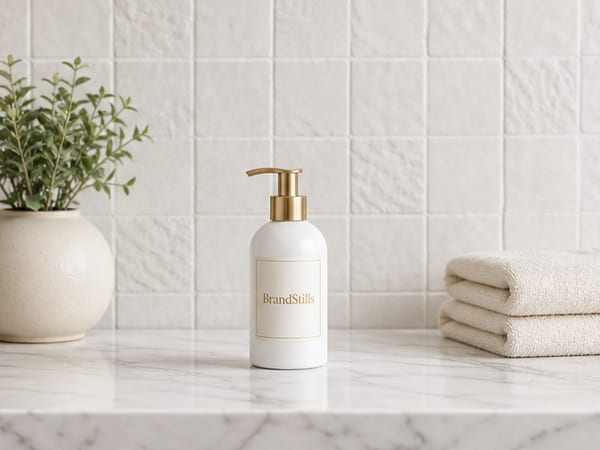
The useful answer starts with a distinction most policy debates skip. There are two completely different things people call “AI product photos”. The first is a photo of your real product, taken with your own camera, placed into a generated scene: new background, new lighting, new props. The second is a fully synthetic image of a product that was never photographed at all, conjured from a text prompt or a supplier’s render. Marketplaces care about the difference even when their policy pages lag behind the technology.
Both Amazon and Etsy have long-standing, well-established rules that images must accurately represent the item being sold. Amazon’s main image must show the actual product; Etsy expects photos of the real, finished item you will ship. A staged image of your genuine product does not conflict with that principle any more than hiring a studio and a stylist would. A synthetic product image does conflict with it, because the buyer is making a decision about an object that may differ in colour, texture, proportion or print from what arrives. That gap is where removed listings, returns and one-star reviews come from, regardless of what the policy page says this quarter.
And the policy pages do move. Etsy in particular has revised its stance on AI-assisted imagery and disclosure several times, and Amazon publishes category-specific rules. Treat any article with a year in the headline as a snapshot. Before you upload, read Amazon’s image guidelines in Seller Central and Etsy’s current listing requirements and disclosure prompts directly.
A test that survives policy changes
Ask one question of every image: if the buyer held the delivered product next to this photo, would they feel told the truth? Real product, generated café table: yes. Real product, generated white sweep: almost always yes. Product that exists only as a prompt: no, and no disclosure checkbox fixes that.
Where BrandStills sits on this line
BrandStills is built for the first category only. It works from two or three phone photos of the physical product, and it locks your label text, logo, colours and proportions so the render shows the item you actually shot. It will not invent a product for you, and that is deliberate. Sellers use it for the white background listing shot and the lifestyle slots, keeping every image anchored to photos of the actual product. If a tool offers to skip the photographing step entirely, that is the step that kept you compliant.
Frequently asked questions
Is an AI background the same as a fake product photo?
No. Swapping or generating the background behind a genuinely photographed product is a staging choice, like renting a studio set. Generating the product itself is a truthfulness problem, because the buyer is judging an item that does not match reality.
Do I have to tell Etsy I used AI?
Etsy has been moving towards explicit AI disclosure on listings, and its rules on AI-assisted imagery have changed more than once. Read the current listing form and Etsy's help pages carefully rather than relying on a summary, including this one.
Can my Amazon main image be AI generated?
The main image must show the actual product on a pure white background, and Amazon's rules exclude illustrations and mockups. A white background render built from photos of your real product is a grey area you should judge by one test: would a buyer receiving the item feel the photo was accurate?
Is BrandStills free?
BrandStills is free to install and includes starter credits. After that, you can subscribe for monthly credits or buy a one-time credit pack, no subscription required. Pack credits never expire. One credit makes one photo. Each edit creates a new photo, so it also uses one credit. Renders that fail do not use credits.
Related guides
Yes, but only with tools that render from reference photos of your product rather than from a text description. Prompt-only generators invent a plausible lookalike with a garbled label; reference-locked tools such as BrandStills work from two or three phone photos and keep the label text, logo, colours and proportions, though every render should still be checked against the real product.
Do AI product photo generators change your label or logo?They can. Generators working from a text prompt alone invent the label, and even the current editing models in ChatGPT and Gemini, which keep short, clear text far better when you upload the real photo, still drift on small print, curved labels, fine logos and colours. Product photo tools narrow the risk by reading the label first, locking it into every render and checking the result, but every image should still be proofread before publishing.
What are the image requirements for Amazon listings?Amazon main images must show the actual product on a pure white background, filling most of the frame, with no text, logos, props or watermarks. Images should be at least 1000 pixels on the longest side, and 1600 pixels or more to enable zoom; the remaining slots are far freer and can show lifestyle scenes, scale and details.
Last updated August 29, 2026.
Shoot once. Post all year.
Install BrandStills, add one product, and have your first studio photo before your coffee cools.
Free credits on install · Start in a minute