 BrandStills
 how to photograph small products
How do I take photos of very small products like jewellery or pins?
Photograph small products by backing the phone up to about 20 to 30 cm and cropping in afterwards, rather than pushing closer than the lens can focus. Use bright indirect daylight, prop the phone steady, tap to focus on the front of the product, and shoot against a plain uncluttered surface so the item does not get lost.
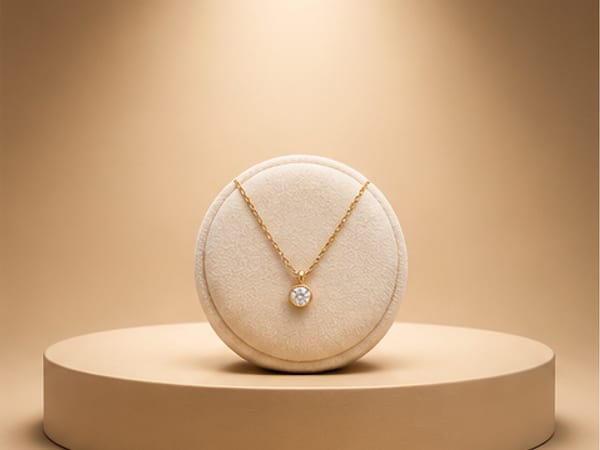
The mistake everyone makes with tiny products is pushing the phone closer and closer until the photo goes soft. Every lens has a minimum focus distance, and on most phone main cameras it is somewhere around 8 to 10 cm; closer than that, focus is physically impossible, and many phones quietly switch to a worse lens or a digital crop to cope. The reliable method is the opposite: hold the phone 20 to 30 cm away where the main lens is sharp, fill perhaps a third of the frame, and crop in afterwards. Modern phone sensors have resolution to spare, and a crop from a sharp frame beats a full-frame blur every time.
Three more things matter at this scale:
- Stability. At close range, a millimetre of hand shake is visible. Lean the phone against a stack of books or a mug, use the timer, and the sharpness jumps.
- Depth of field collapses. Close up, the zone of sharp focus can be a few millimetres deep. Tap the screen to focus on the front edge of the piece, and accept that the back may soften, or shoot more square-on so the whole item sits in one plane.
- Light for sparkle. Stones and metal look alive when they have something bright to reflect. Indirect daylight near a window gives clean colour; a piece of white card opposite the window bounces light back into the shadows.
Keep the background plain. A busy tablecloth swallows a 2 cm pin, while a sheet of white paper or a plain tile lets it own the frame.
Getting beyond the plain white shot
Where small products get hard is the styled shot: the podium, the colour-blocked set, the scene that makes a £12 pin look like it deserves the price. Building a miniature set is fiddly work. BrandStills covers this gap well for small items: from two or three sharp phone photos, it renders your actual piece onto a studio podium, a dark luxe backdrop or a lifestyle surface, with the design, colours and proportions locked to your photos. That lock matters most at jewellery scale, where generic AI tools tend to redraw fine details. One image takes about 30 seconds, and the piece stays in your library for new scenes later. What the app cannot do is invent detail you never captured, so the sharp, well-lit reference photos above are still step one. There are more small-item specifics on the jewellery makers page.
Frequently asked questions
Why are my close-up photos blurry even in good light?
You are almost certainly inside the lens's minimum focus distance, which on most phone main cameras is around 8 to 10 cm. The camera physically cannot focus that close. Back up until focus locks, then crop the photo.
Should I use my phone's macro mode for jewellery?
Try it, but check the results critically. Macro mode usually switches to the ultra-wide lens, which has a smaller sensor, so images are noisier and softer. Backing up with the main lens and cropping often gives a cleaner file.
How do I show the true size of a small product?
Include one photo with a familiar object or the product worn or held. Tiny items photographed alone read larger than life, and size surprise is a common reason for returns and complaints.
Is BrandStills free?
BrandStills is free to install and includes starter credits. After that, you can subscribe for monthly credits or buy a one-time credit pack, no subscription required. Pack credits never expire. One credit makes one photo. Each edit creates a new photo, so it also uses one credit. Renders that fail do not use credits.
Related guides
Glare is a mirror image of your light source, so you remove it by making the light bigger and softer, not dimmer: shoot beside a window with a sheer curtain, angle the shiny face away from the light, and keep small bright objects (including your phone) out of the reflection zone.
How do I take good product photos with just my phone?You can take good product photos with only a phone: shoot beside a big window in indirect daylight with the flash off, stand the product a step away from a plain background, tap the screen to focus and expose on the product, and shoot at the product's own height with the 1x or 2x lens rather than looking down with the wide lens.
Product photography for jewelry makersJewellery is small, shiny and hard to light: the two failures are a dull metal and no sense of scale. BrandStills puts your piece on a proper studio set while keeping the stone, the finish and the clasp exactly as photographed.
Last updated October 14, 2026.
Shoot once. Post all year.
Install BrandStills, add one product, and have your first studio photo before your coffee cools.
Free credits on install · Start in a minute